Comparison
AV diagram software compared
Eight tools that AV engineers use to draw systems and document the cabling, with each one's entry price and what it is built for. Every competitor price comes from the vendor's own site, checked on 9 October 2026. We make Patchify, so read this as a starting point and check the sources.
Written by Callum Buckley ·
30-day free trial. No credit card needed.
How did we compare these tools?
We read each vendor's pricing and product pages on the same day and noted the cheapest paid way to use the tool, the platform it runs on and what it produces. We left out anything we could not confirm on the vendor's own site. Prices are list prices before tax, in the currency the vendor shows.
What does each cost? (checked 9 October 2026)
| Tool | Entry paid price | Free option | Platform | Source |
|---|---|---|---|---|
| Patchify | $15/month or $150/year (Starter) | 30-day trial; free account keeps 1 project, view only | Browser, Windows desktop app | Pricing |
| H2R Gear | $150/year (Pro), or $19 for a 30-day pass | Free plan, 2 active plans | Browser, tablet | h2rgear.com |
| WireFlow | $14.99/month (Pro); $5/month founder rate | Free plan, 3 diagrams | Browser on desktop, iPad and mobile | wireflow.live |
| Visio | $5/user/month (Plan 1), annual; desktop app on Plan 2 at $15 | In commercial Microsoft 365 plans | Browser; desktop app on Plan 2 | microsoft.com |
| XTEN-AV | $104.25/user/month billed annually (Basic) | 15-day trial, extendable by 15 | Cloud, with mobile apps | xtenav.com |
| D-Tools Cloud | $89/month billed annually, plus $250 setup (Single) | Free trial | Cloud | d-tools.com |
| Stardraw Design 7.4 | $550 first year, $275/year after (Entry-Level) | None listed | Desktop software | stardraw.com |
| Vectorworks ConnectCAD | £1,600/year with Spotlight, ex VAT (UK) | None listed | macOS and Windows | vectorworks.net |
What is each tool built for?
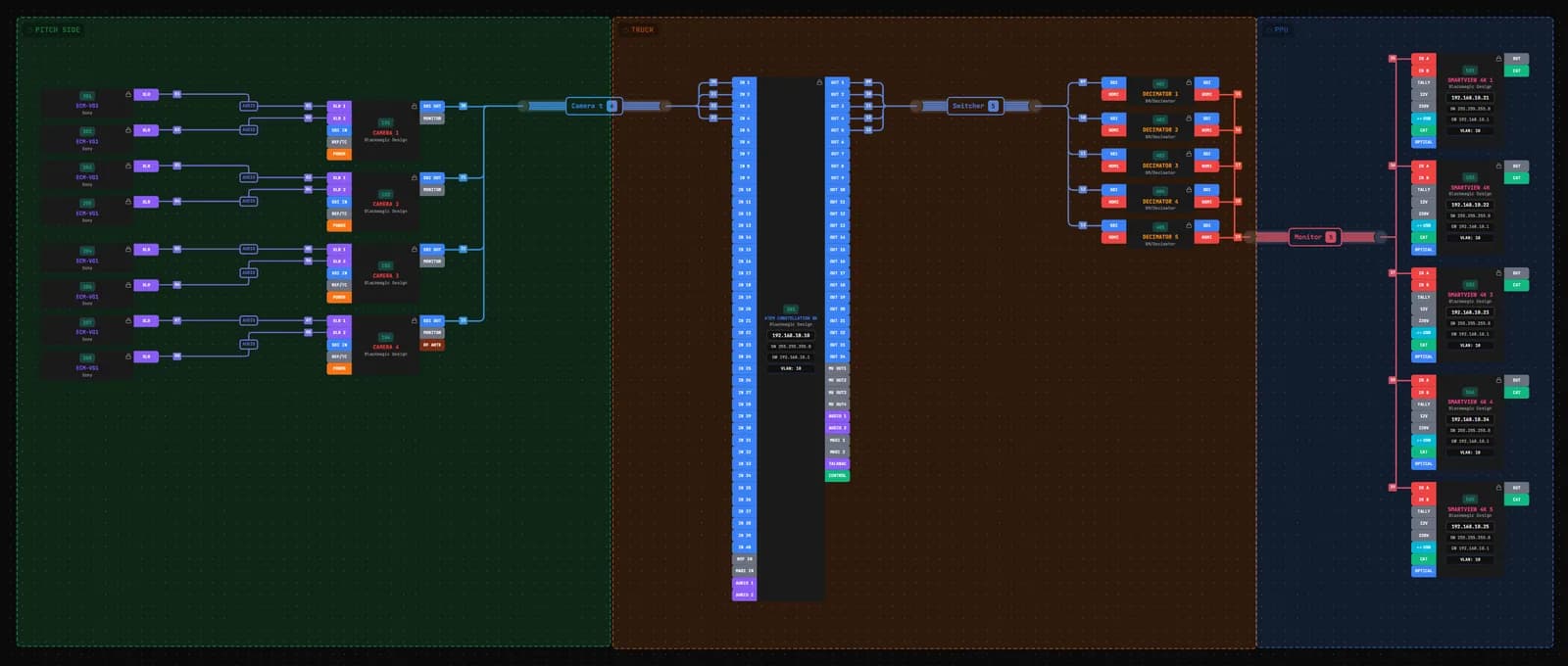
- Patchify: signal flow, cable schedule, 19" and 10" racks, patch panels, a priced bill of materials and job sheets from one device library.
- H2R Gear: diagrams, patch lists and packlists for shows, with a large community gear library. See Patchify vs H2R Gear.
- WireFlow: signal flow with connection checks, racks, LED wall maps and cable schedules, with an API.
- Visio: general diagramming with a large shape library. See Patchify vs Visio.
- XTEN-AV: design plus sales: drawings, an AI assistant, proposals and CRM links. See Patchify vs XTEN-AV.
- D-Tools Cloud: the business side of integration: proposals with e-signatures, purchasing, project management, field service and invoicing.
- Stardraw Design: desktop AV CAD with schematics, racks, panel layouts and DWG import and export.
- ConnectCAD: AV schematics and racks inside Vectorworks CAD, alongside venue and lighting drawings. See Patchify vs ConnectCAD.
Where is each tool the better choice?
| If you need | Look at |
|---|---|
| A free plan for small shows, with packlists | H2R Gear |
| LED wall pixel maps with the signal flow | WireFlow |
| Diagrams of every kind, and files clients open in Visio | Visio |
| Proposals, CRM links and an AI assistant with the drawings | XTEN-AV |
| Proposals, purchasing and project management for an integration business | D-Tools Cloud |
| Desktop AV CAD with DWG import and export | Stardraw Design or ConnectCAD |
| AV drawings in the same CAD files as venue and lighting plans | ConnectCAD |
| Signal flow, racks, patch panels, cable schedule and BOM in one project | Patchify |
Disclosure: we make Patchify
This page is written by the team behind Patchify. We have tried to describe every tool fairly and only from its vendor's own pages. Prices change; check each source before you buy. If anything here is wrong or out of date, email [email protected] and we will correct it.
H2R Gear, WireFlow, Microsoft Visio, XTEN-AV, D-Tools, Stardraw, Vectorworks and ConnectCAD are trademarks of their owners.
Try it on your next job
Draw the system once and get the cable schedule, rack and PDF pack from the same project.