Rack diagram software
Rack diagrams and elevations for AV and broadcast racks
Patchify's rack builder lays out 19" and 10" racks front and rear using the devices already on your cable diagram. It totals weight, power and heat as you place them, and flags the things that stop a rack being built: depth clashes, overloaded PDUs and heavy kit at the top.
Written by Callum Buckley ·
30-day free trial. No credit card needed.
What is a rack elevation diagram?
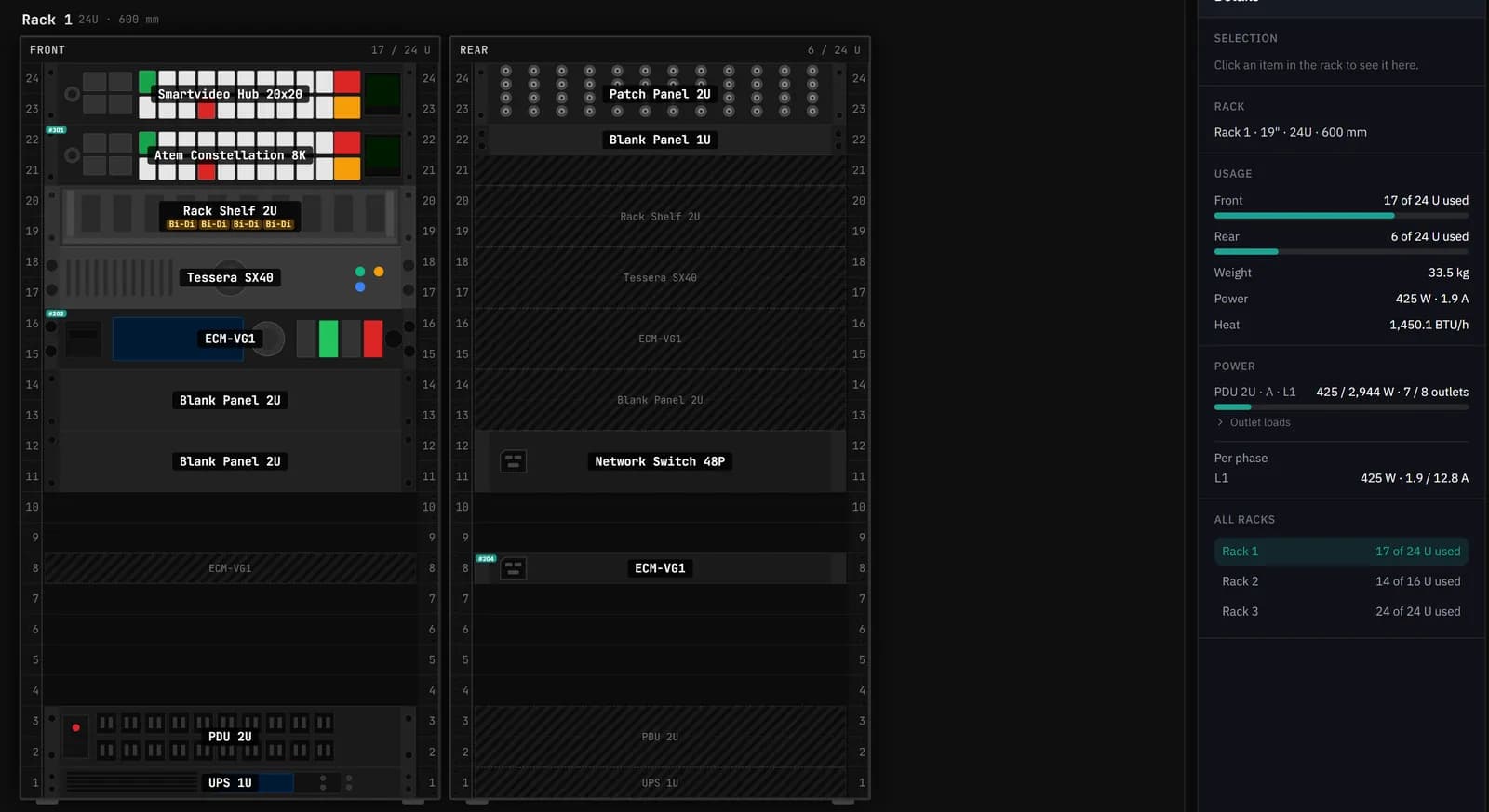
A rack elevation is a scale drawing of a rack's face: which device sits in which rack unit, front and rear. Installers build the rack from it, and whoever services it later uses it to find things.
In Patchify the elevation is not a separate drawing. Each device in the rack is the same device as on the signal flow diagram, so its ports, cables and labels follow it into the rack.
How do I plan rack units, weight and heat?
Place devices and the details panel keeps a running total of rack units used, weight, power draw and heat. Heat is the power figure converted to BTU/h (1 W is 3.412 BTU/h), which is the number your cooling or the rack cooling calculator needs.
The rack in the picture above holds 17U on the front: 33.5 kg, 425 W and about 1,450 BTU/h, fed from a 2U PDU using 7 of its 8 outlets. Those figures come straight from the device data, so they change the moment you swap a device.
What does it check before the rack is built?
Each rack gets a health list. These are the checks it runs:
| Check | What it flags |
|---|---|
| Depth | A device deeper than the rack, or front and rear devices that collide back to back |
| Weight | Total load over the rack's rating, a top-heavy rack, and devices over 15 kg in the top third |
| Power | A PDU over its continuous rating, more devices than outlets, devices with no feed, and circuits over capacity |
| Airflow | Powered devices stacked with no gap where they draw enough to want one |
| Fit | Overlapping devices, devices past the end of the rack, and 19" kit in a 10" rack |
| Cable fill | Vertical cable managers over 40% full and lacing bars carrying too large a bundle |
| Missing data | Devices with no weight or power figure, so you know which totals are incomplete |
Can I show front and rear, and blanking or vent panels?
Yes. Every rack has a front and a rear face, shown side by side or one at a time, plus a 3D view with depth measurements. Blank, vent and brush panels, shelves, drawers, fan trays and cable management are rack items like any other, so the drawing shows the rack as it will be built, not just the active kit.
If you're buying the enclosure too, the Catalogue tab lists real cabinets, wall boxes, rack cases and accessories with UK and US supplier prices.
Does it do 10-inch racks?
Yes. Racks can be 19" or 10" wide. A 19" device in a 10" rack is flagged, and a 10" device in a 19" rack is flagged as needing an adapter, which is the usual mistake with half-width kit.
How do rack cables link back to the signal flow?
They are the same cables. The rack's wiring table lists every port in the rack with its signal, cable number and where it goes, and editing a connection there edits the diagram. Each rack also gets a patch sheet showing just its own devices and cables.
To start a rack quickly, Add all canvas gear drops the diagram's devices into it, Arrange rack sorts them, and Assign power connects each device to a free PDU outlet.
Is there a rack elevation template I can download?
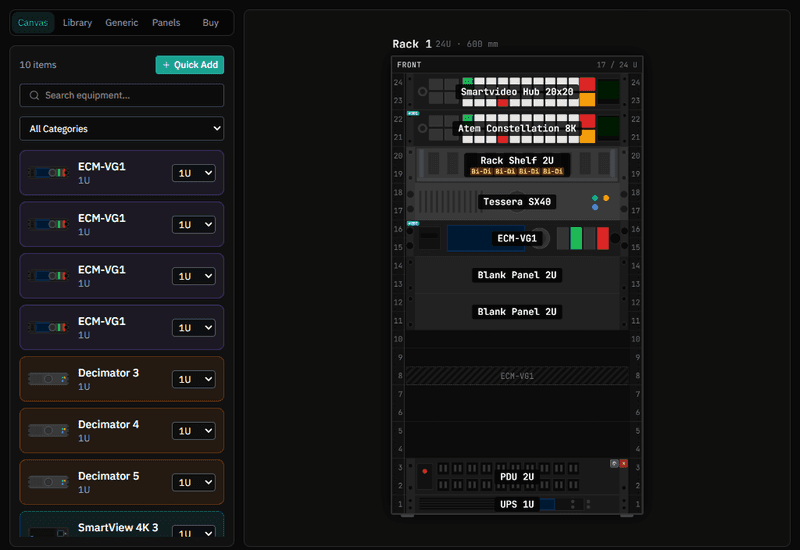
Patchify draws the elevation for you rather than giving you a blank grid. The project report PDF includes each rack's build and wiring, and racks also export to DXF for CAD. If you're planning on paper first, our guide to rack layout planning covers the order to place things in.
The rack builder is included from the Starter plan, $15/month, after a 30-day free trial. See pricing.
Design the panels that go in the rack: patch panel designerQuestions
Can I reuse a rack layout on another job?
Yes. Save a rack as a template and start new racks from it. Templates keep the layout; the wiring comes from each project's own diagram.
Does it know the weight and power of every device?
Most library devices carry weight and power figures. Where one is missing, the rack's health list says so, so you know the totals are short. You can fill the figures in yourself.
Can I see the rack in 3D?
Yes. There is a 3D view next to the 2D elevation, with rack unit labels and depth measurements you can switch on.
How many racks can a project have?
As many as the job needs. Each rack has its own tab, and the details panel shows a summary across all of them.
Try it on your next job
Draw the system once and get the cable schedule, rack and PDF pack from the same project.