Comparison
Patchify vs Vectorworks ConnectCAD
ConnectCAD is an AV schematic and rack tool that runs inside Vectorworks, a full CAD package. Patchify is a browser tool that draws the system from a device library and produces the cable schedule, racks, panels and handover paperwork. This page uses Vectorworks' own published information, checked on 9 October 2026.
Written by Callum Buckley ·
30-day free trial. No credit card needed.
What does ConnectCAD do well?
ConnectCAD is built on Vectorworks Spotlight, so the schematic sits in the same CAD environment as venue, lighting and rigging drawings.
- Schematics and racks: AV schematic drawings and rack layouts.
- Checks and reports: live error checking and detailed reports.
- 2D and 3D: a hybrid 2D/3D environment, with customisable templates and symbols.
- As-built drawings: support for as-built documentation.
- Spotlight underneath: Spotlight's design and documentation tools and its manufacturer library.
- Platforms: macOS 26, macOS 15 and Windows 11, as listed on the ConnectCAD page.
How do the prices compare? (checked 9 October 2026)
ConnectCAD is sold as a bundle with Spotlight or Design Suite on the Vectorworks UK store. The prices below are the UK list prices for a new single seat, before VAT. Patchify prices are in US dollars.
| Monthly | Yearly | |
|---|---|---|
| Vectorworks Spotlight + ConnectCAD | £178 | £1,600 |
| Vectorworks Design Suite + ConnectCAD | £222 | £1,990 |
| Patchify Starter | $15 | $150 |
| Patchify Pro | $30 | $300 |
| Patchify Team (5 members) | $100 | $1,000 |
Do you need CAD skills?
ConnectCAD runs inside Vectorworks, so you work in a CAD program: layers, sheets, classes and drawing tools. If your team already draws in Vectorworks, that is a strength. If not, it is a program to learn.
Patchify has no drawing tools to learn. You search the library, place a device and drag a cable from one port to another. The cable number, signal type and schedule row come from that connection. See AV diagram software for a worked example.
What about DWG, DXF and drawing sets?
Vectorworks is a CAD package and works in CAD formats; check its site for the DWG versions it supports. Patchify exports DXF for diagrams and patch panel faceplates, not DWG. It also exports PDF drawings with a title block, PNG, CSV and Excel.
- Signal flow PDF with title block, revision and drawn-by fields.
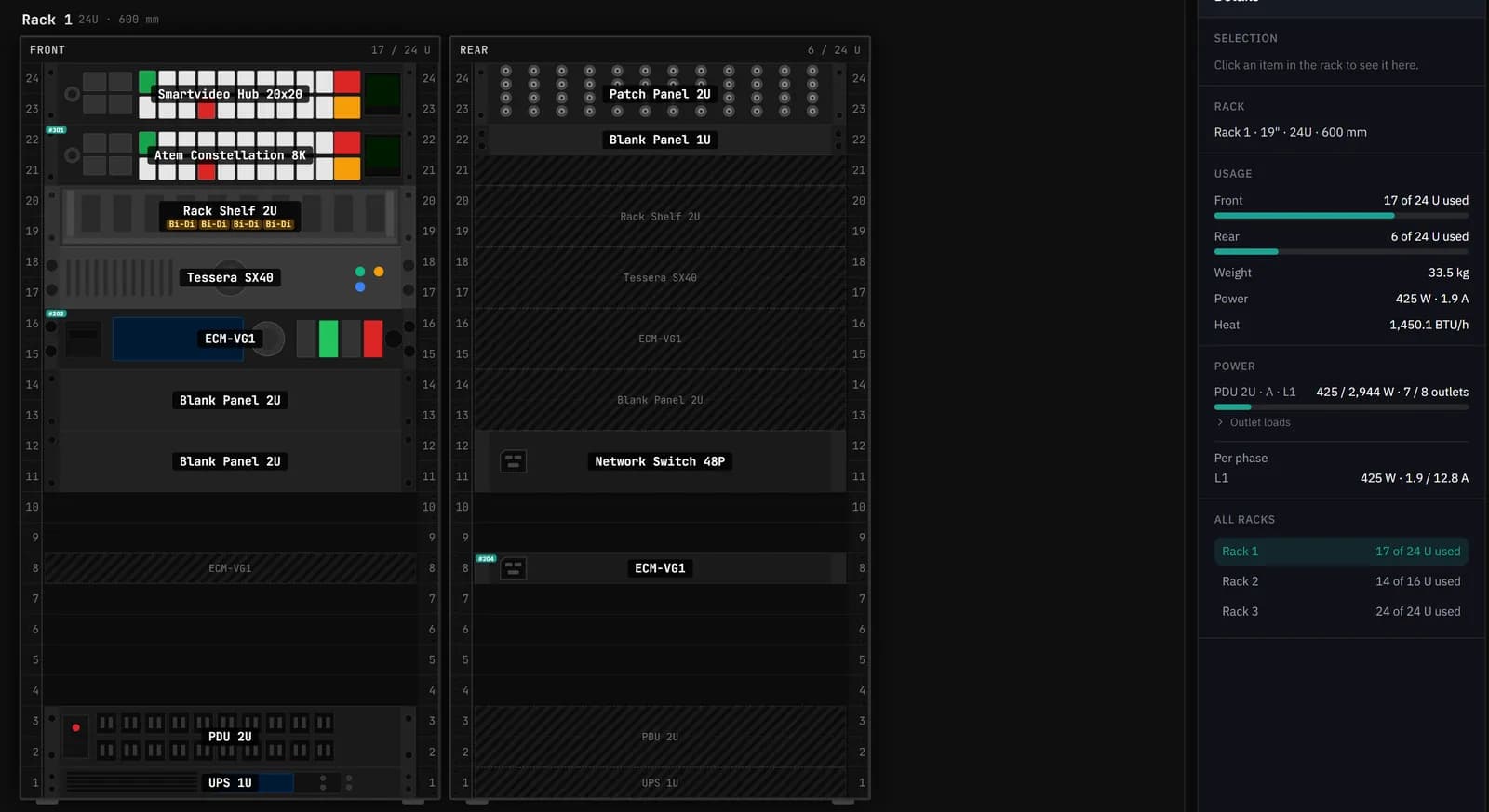
- 19" and 10" rack elevations, front and rear, with power, weight and heat.
- Custom panels in the patch panel designer, with DXF faceplates and labels.
- A cable schedule and a bill of materials priced from CPC (UK) or Newark (US).
When is ConnectCAD the better choice?
- Your team already draws venues, lighting or rigging in Vectorworks and wants the AV schematic in the same file.
- You need 3D, or a full CAD drawing set with your own sheet layouts.
- You work in DWG with architects and consultants.
- You want desktop software on macOS.
When is Patchify the better choice?
- You want the diagram, cable schedule, racks and panels without learning CAD.
- You work in a browser on any computer, or offline on a Windows laptop with the desktop app.
- You want a priced bill of materials and job sheets in the same project.
- The cost of a CAD seat is hard to justify for the size of your jobs.
Sources
- ConnectCAD features and supported systems: vectorworks.net/connectcad (checked 9 October 2026)
- UK prices: vectorworks.net/en-GB/spotlight/buy (checked 9 October 2026)
- Patchify plans: patchify.app/pricing
Vectorworks, Spotlight and ConnectCAD are trademarks of their owner. Prices change; check the vendor's site before you buy. If anything here is out of date, email [email protected] and we will correct it.
Try it on your next job
Draw the system once and get the cable schedule, rack and PDF pack from the same project.