Minorv1.23
Multi-Select, Bidirectional Ports & Smarter AI
New
- Multi-select batch connect - select multiple gear, draw one cable, and all selected gear automatically connect to sequential inputs
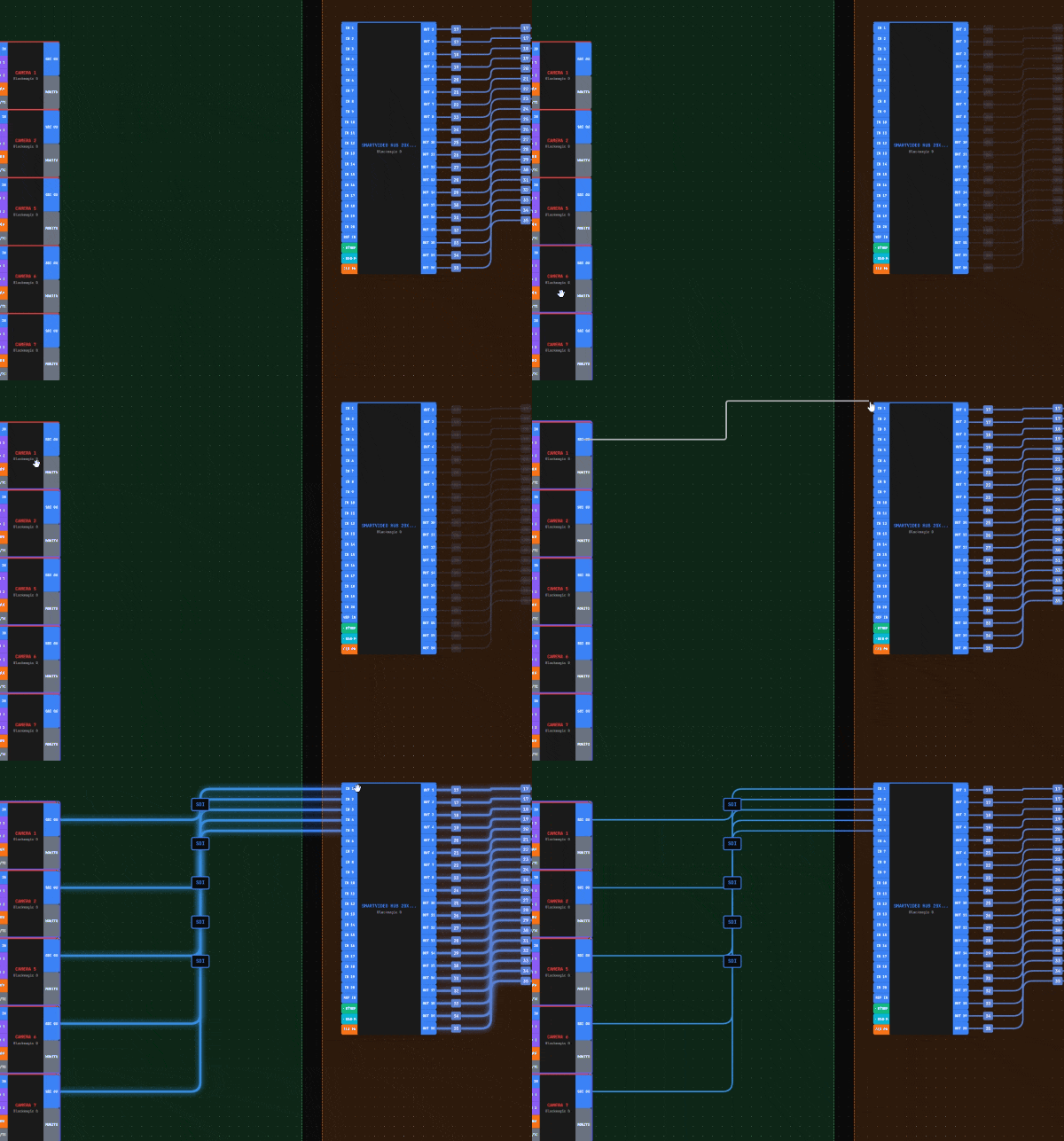
- Bidirectional ports - network ports (Ethernet, Fiber, USB) now work as both inputs and outputs
- Cable renumbering - View menu with 4 methods: Sequential, By Position, Smart Match, and By Gear (set custom start numbers per gear)
- Cable notes - right-click any cable to add notes, shown with icon on cable label
- AI can now create zones - automatically groups related gear (cameras, switchers, monitors)
- AI can label gear - assigns logical names like Camera 1, Camera 2
- AI can renumber cables - sequentially numbers all cables
- AI Apply All button - apply all AI suggestions with one click
Improved
- Gear builder now shows bidirectional indicator (↔) for network port types
- Bidirectional ports can be toggled per-port in gear builder
- AI no longer suggests duplicate actions - automatically filters out already-applied suggestions
- AI zones now properly encapsulate gear instead of appearing above them
- Upgraded AI model for better suggestions (GPT OSS 120B)
- Renumber cables moved from Edit to View menu for better organization
Fixed
- Fixed bidirectional toggle not working - unticking now properly removes bidirectional mode
- Fixed port validation for reconnecting cables to bidirectional ports
- Fixed duplicate port detection for bidirectional handle IDs
- Fixed AI not seeing custom labels after they were applied
- Fixed zone dimensions using wrong property (style vs data)